KNI 4.3.9001 brings long-awaited dotnet new templates, .NET 10 and Visual Studio 2026 support, sweeping texture system improvements across every graphics backend, a greatly expanded WebAudio implementation, a new SDL2 VideoPlayer, WinForms touch input, and a comprehensive set of bug fixes. A more detailed list of the changes is available on the changelog.
Many thanks to Kleadron, squarebananas, Syntriax, velzie, and Victor Chelaru for their contributions to this release.
squarebananas contributed a particularly large share of the audio and graphics implementations and fixes in this release.
Download KNI v4.3 today.
See migrate to v4.3 on how to upgrade your current projects.
dotnet Templates
One of the most frequently requested features, dotnet new templates for KNI are finally here. Developers can now scaffold new KNI projects entirely from the command line, without requiring Visual Studio or any IDE.
Install the template pack with:
dotnet new install nkast.Kni.Templates@4.3.9001
Then create a new multiplatform project:
md Pong
cd Pong
dotnet new kni-multiplatform -n Pong
cd Pong.DesktopGL
dotnet run
The multiplatform template now uses a class library for shared game code instead of a shared project, so the code is compiled into a DLL and referenced by the platform heads. The multiplatform template also includes an Oculus.GL head project, making it straightforward to bring a KNI game to Meta Quest.
If you previously used preprocessor symbols in your shared game project such as ANDROID, DESKTOPGL, or BLAZORGL, switch to runtime checks through TitleContainer.Platform instead:
if (TitleContainer.Platform == TitlePlatform.Android) { ... }
For graphics-specific branching, use graphicsDevice.Adapter.Backend:
if (graphicsDevice.Adapter.Backend == GraphicsBackend.GLES) { ... }
Each platform project also contains a platform-specific override of the game class, so you can keep shared gameplay in the base game while customizing per-platform initialization and behavior in the platform head.
public class PlatformPongGame : PongGame
{
    public PlatformPongGame() : base()
    {
        // TODO: Add platform specific initialization logic here
        base.graphics.IsFullScreen = true;
    }
}
.NET 10 & Visual Studio 2026
KNI now supports .NET 10 and Visual Studio 2026 across all platforms.
Crucially, the Content Editor (mgcb-editor) and the MGCB command-line tool are themselves now .NET 10 executables, providing a smooth transition for importers and processors as KNI moves away from .NET 8 and fully embraces .NET 10 in the next versions. This means that custom importers and processors in your pipeline can now target .NET 10 as well, unlocking the full set of modern C# language features and libraries for content processing.
Android.GL, iOS.GL, and Oculus.GL backends have all been updated to target .NET 10. Unfortunately, the .NET MAUI and mobile workloads do not follow the TLS timetable, so they require the latest .NET and APIs, which forced our hand on this upgrade. That means Android and Quest projects now need to move to .NET 10 and VS2026.
Graphics
One of the largest themes of this release is a broad set of improvements to the texture system, touching every graphics backend: DX11, GL/GLES, and WebGL.
Texture2D, Texture3D, and TextureCube have all received fixes and new implementations across all three backends, achieving much closer parity with the full XNA surface format coverage. Notably, DX11 now supports compressed Texture3D formats, and all backends correctly handle a wider range of surface formats.
SamplerState has been extended with AddressW support in GL/GLES, and a new MinMipLevel property is available in both GL/GLES and DX11. A long-standing bug with SamplerState.MaxMipLevel in GL and DX11 has also been corrected. Additionally, WebGL now implements TextureFilter.Anisotropic, bringing it in line with desktop backends.
squarebananas made a multiplatform Test project where you can test out all those APIs.
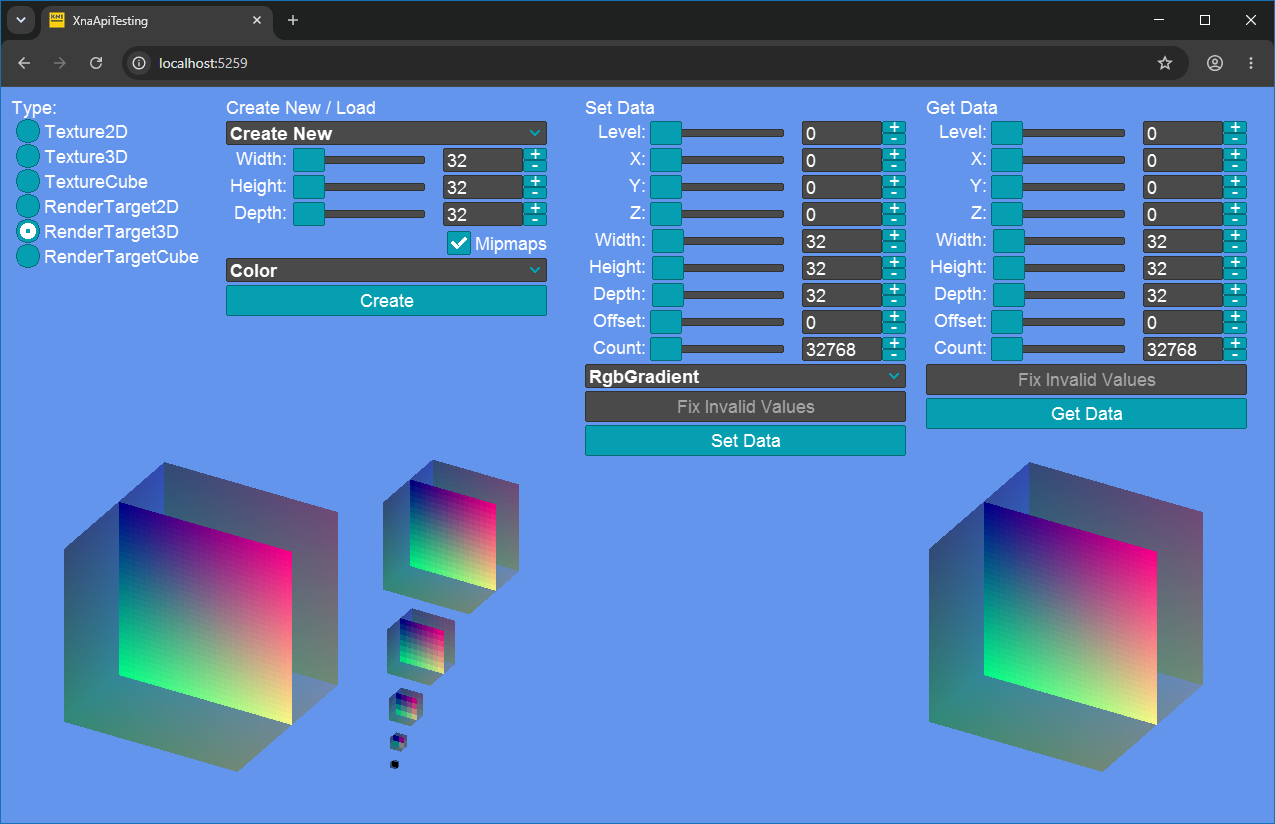
https://github.com/squarebananas/XnaApiTesting
Texture2D.GetSharedHandle() is now implemented in WebGL, enabling interop scenarios that depend on shared texture handles.
Audio
The WebAudio backend has received major additions in this release, closing the gap with desktop audio backends for the Blazor.GL platform.
- SoundEffect now supports a broader range of audio formats.
- SoundEffectInstance is now fully implemented, with support for Pause, Resume, Stop, Pitch, and Apply3D.
- DynamicSoundEffectInstance is now fully implemented, with Pause, Resume, Pitch, SampleRate, and Channels all functioning correctly.
Together these additions make the Blazor.GL audio experience a first-class citizen alongside the native desktop and mobile backends.
Several audio fixes improve correctness and compatibility across backends.
- XAudio2:
DynamicSoundEffectInstance.Apply3D and DynamicSoundEffectInstance.Pitch now work correctly.
- OpenAL: The AudioListener transform is now applied correctly, fixing positional 3D audio orientation.
Those awesome improvements are also the work of squarebananas.
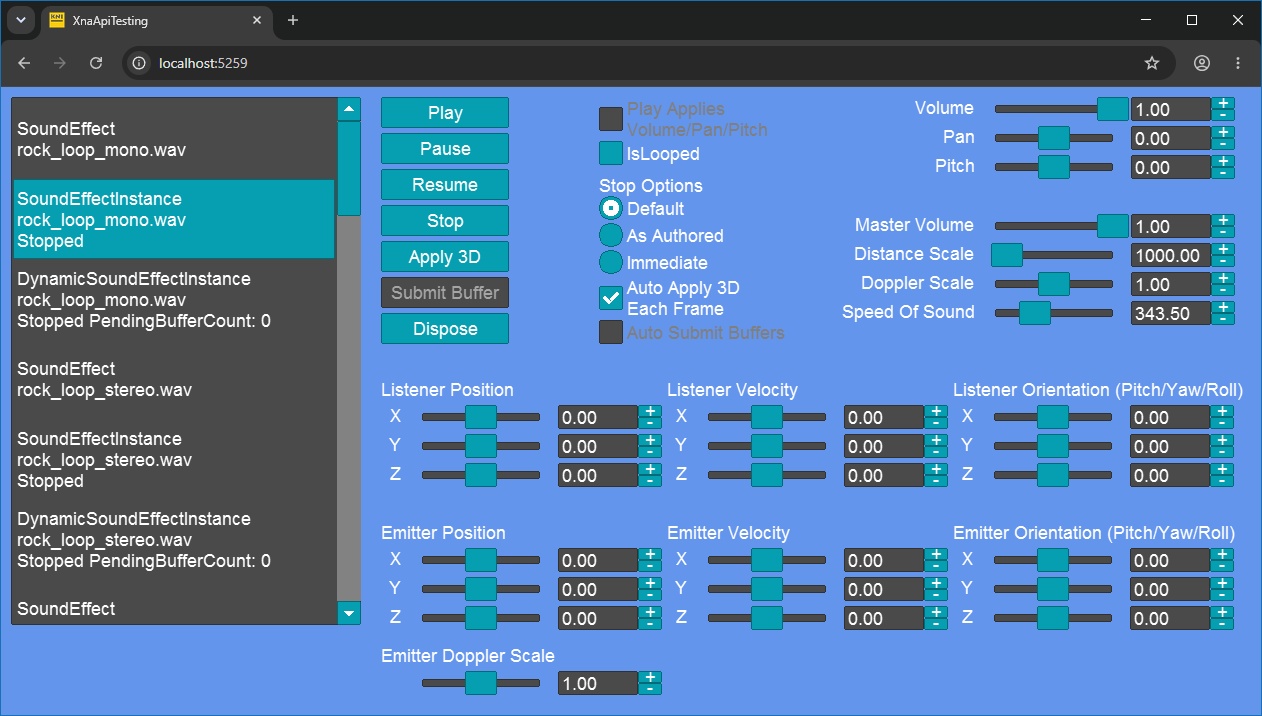 https://github.com/squarebananas/XnaApiTesting
Pipeline Editor
The Pipeline Editor now orders folders before files in the asset tree. This small but welcome change aligns the editor with the convention used by most IDEs and file managers, making it easier to navigate projects with a large number of assets.
Content Pipeline
The Content Pipeline includes a concentrated set of SpriteFont improvements.
- The font processor now uses WinAscend/WinDescend metrics to compute both the y-offset and VerticalLineSpacing, aligning font layout output more closely with what the original XNA content pipeline produced. The UnderlinePosition for
FontDescriptionProcessor is also correctly calculated.
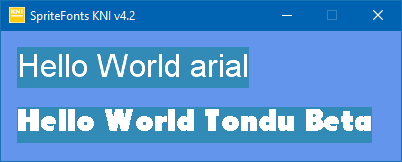
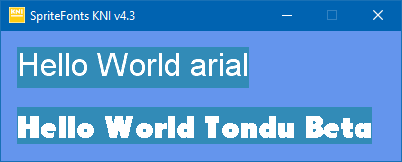
- A new GenerateMipmaps option is available for
FontDescriptionProcessor, useful for rendering fonts at multiple scales and in XR enviroments.
Touch Input
WinForms.DX11 now implements full Touch input, receiving touch events from Windows touch hardware and exposing them through the standard TouchCollection API.
Beyond enabling touch-driven games on Windows, this addition has a practical benefit for the mobile development workflow: touch UI layouts and interactions can now be built and iterated directly on the desktop, using a touch monitor, without the need to deploy to an Android device for every test cycle. Android builds have a longer turnaround due to compile, package, and deploy steps, so the ability to rapidly test touch behaviour on WinForms.DX11 can meaningfully speed up UI development.
VideoPlayer
The SDL2.GL backend finally has a native VideoPlayer implementation, filling one of the last remaining capability gaps on the desktop GL target. Video playback is now available on Windows, Linux, and macOS through the SDL2 platform.
Under the hood, video and audio decoding is handled by FFmpeg, giving the player broad format support that covers the most common container formats and codecs. A custom MKV reader is used to demultiplex the ffmpeg stream on the native size.
Due to size constraints, FFmpeg executables are not included in the template. Devs need to bundle their own FFmpeg builds with their projects.
Sponsors
We're grateful to our contributors and sponsors for their continued support. By becoming a sponsor, you help ensure the growth and sustainability of the KNI framework. Together, we're shaping the future of open-source game development.